
The couples app for UK households.
In most households, one person holds all the information in their head. They know where the insurance documents are, when the MOT is due, what needs doing before winter. Their partner asks. They remember.
Roost is the couples app that gets it out of one head and into a shared place, so both people can find it, act on it, and stop relying on the one who remembers everything.
Get started free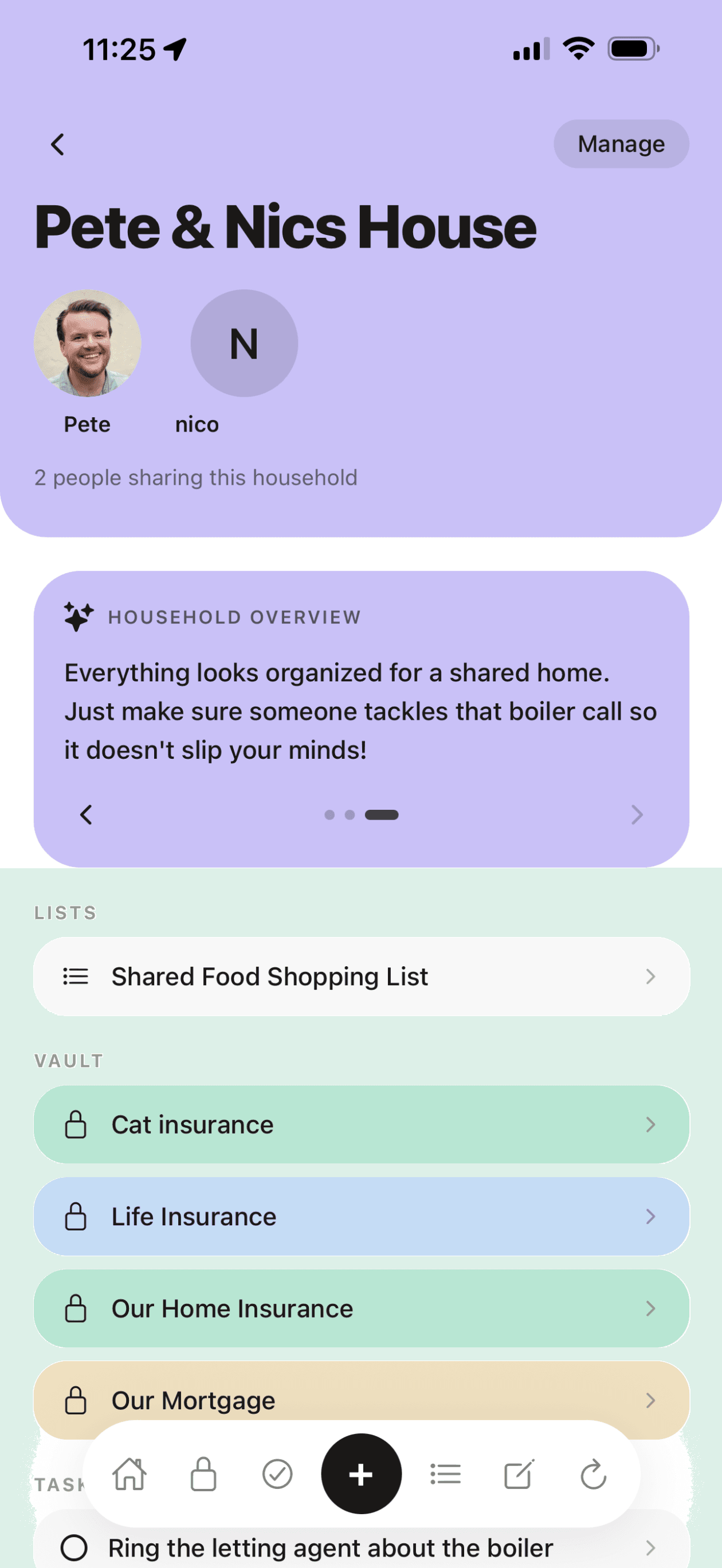
No read-only second seat.
Most household apps make the second person a junior: they can look, but editing costs extra, or everything is owned by whoever signed up first.
Roost has no owner-versus-member hierarchy on shared items and no read-only tier. Both of you can edit anything shared. Viewing is never capped, on any plan.
The mental load is real
According to the Fawcett Society and wider gender equality research, the invisible cognitive labour of running a household (remembering, planning, anticipating) falls disproportionately on one partner. One person holds the map of the household in their head. The other asks.
A good couples app does not fix this on its own. But getting the information out of one person's head and into a shared place is a concrete first step.
When both people can see the insurance renewal date, find the boiler serial number, and check what is on the shopping list, the load becomes genuinely shared.
When does the boiler cover renew?
It's in the vault. Both of you can see it.
What's on the shopping list?
Open Roost. Both phones show the same list.
When was the car last serviced?
Vehicle vault. Service history. Both can check.
What do we need to do this month?
Routines. Shared. Either of you can tick them off.
How household sharing works in Roost
Create a household
One person creates the household, invites others by email. They join on their own device.
Share anything
Each vault item, list, routine and note can be personal, shared with specific people, or shared with the whole household.
Real-time sync
Updates appear on the other person's device within a second. No manual refresh.
Both can edit
Shared items can be updated by any household member. Not just the person who created them.
Private items stay private
Not everything needs to be shared. Personal items are end-to-end encrypted and only visible to you.
Works across devices
iOS app and web app. Both people can use whichever works for them.
Added by
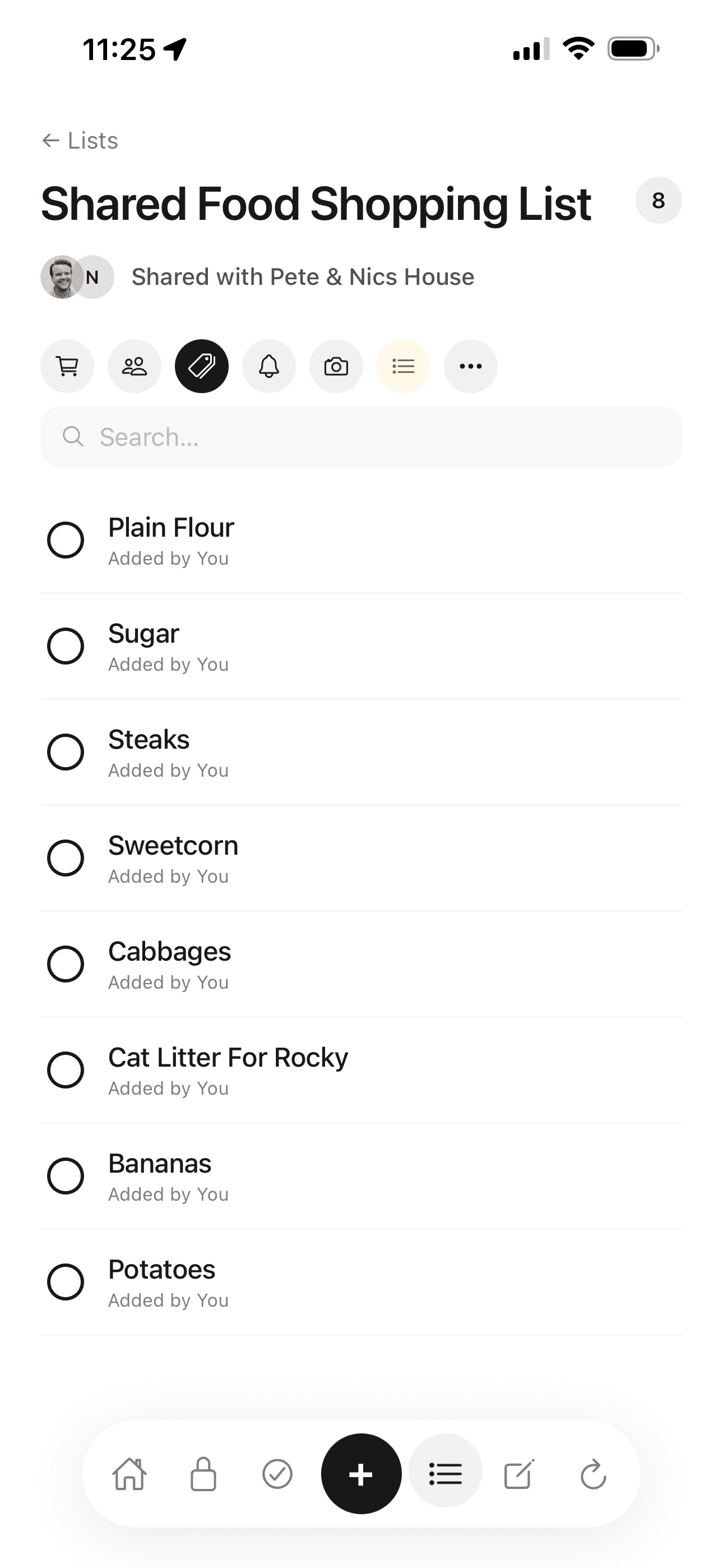
Every item on a shared list carries the name of whoever added it, so nobody has to ask.
Who can see it
Avatar stacks on shared items show, at a glance, exactly who an item is shared with.
Inviting and sharing are free on every plan. The free plan allows 10 items per section, so upgrade to Pro for unlimited.
Nudge, don't nag
A nudge button on any shared task, note, list or routine sends the other person a push that opens straight onto the item. One tap, no message to compose, no nagging text to write.
The activity feed
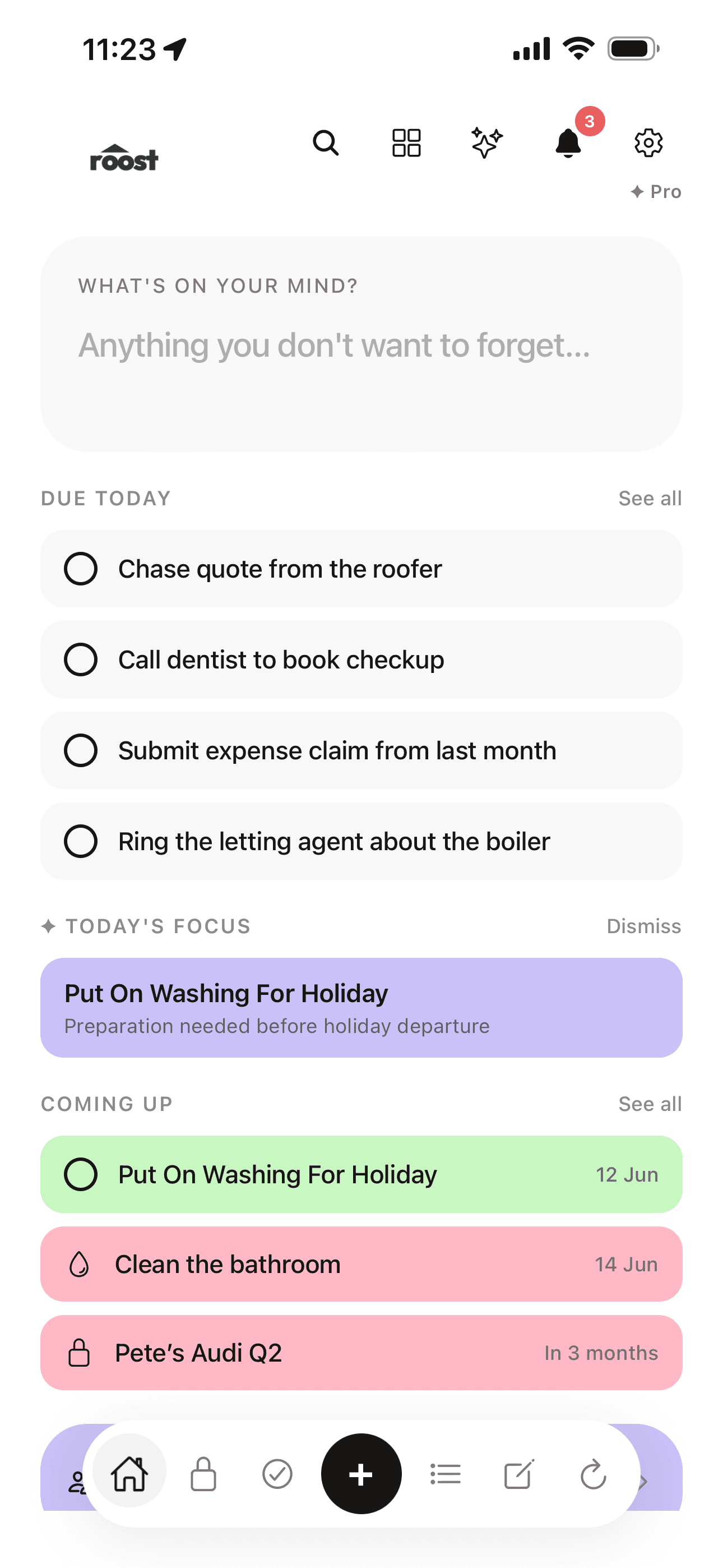
“Corinne ticked off milk.” “Corinne added a note to Boiler.” A light feed on the home screen shows the household working, without anyone having to report in.
It keeps the last 30 days, so you can see what has been happening without asking.
Sharing on your terms
Sharing in Roost is per item, and it goes both ways: you decide what goes in, and you can take it back out.
More than one household
You can belong to more than one household. Family plus a flat-share is a real case. Personal items are never visible to any of them.
Instant revoke
Unshare something and it is gone from the other person's device on next sync. Immediate and total.
Couples app: common questions
What is the best couples app for home admin in the UK?
Roost is built specifically for shared household admin: vault for insurance and property details, shared lists, renewal reminders, and home maintenance routines. Both people see the same information in real time. It is free to start with no card required.
What is the mental load in a relationship?
The mental load refers to the invisible cognitive labour of tracking, planning, anticipating and remembering everything a household needs: insurance renewals, maintenance tasks, shopping, admin. Research shows it falls disproportionately on one partner. Roost helps by getting household information out of one person's head and into a shared place both people can access.
Can couples share a household organiser app?
Yes. Roost's household sharing feature lets you invite a partner or housemate. As a couples app, Roost keeps shared vault items, lists and routines in sync on both devices in real time. Either person can add, edit or complete shared items, not just the person who created them.
Is household sharing free on Roost?
Yes, household sharing is included in the free plan. Invite your partner or housemates and share vault items, lists and routines at no cost. The free plan allows 10 items per section, and items shared with you count towards your own ten, so a couple who keep a lot in Roost will each want Pro.
Does the couples app work on iPhone and web?
Yes. Roost is available as an iOS app and a web app at app.getroost.io. Both people in the household can use whichever works for them, one on iPhone and one on a laptop, and changes sync in real time.
How is Roost different from a shared notes app for couples?
Roost is structured specifically for household admin rather than freeform notes. Each of the five sections, Vault, Tasks, Lists, Notes and Routines, has a purpose. Renewal dates on vault items send reminders. Vault items hold emergency info. Lists update in real time. A shared notes app requires you to build all that structure yourself.
Related reading
The mental load: why one person ends up remembering everything
In most households, one person carries the invisible weight of knowing. What the research says and what actually helps.
Moving in together? The unromantic admin checklist
The practical admin nobody talks about when you move in with someone, and what to store together from day one.
Get it out of one person's head.
The couples app for UK households. Free to start, sharing included.
Get started free