
The Apple Notes alternative for household admin
Apple Notes is where most UK households start. It is free, already on your phone, and takes no setup. But for managing a household (insurance renewals, emergency contacts, shared lists, home maintenance), there are real limits. This is an honest look at where Notes falls short and how Roost compares as a dedicated Apple Notes alternative for household admin.
Where Apple Notes works well
Apple Notes is a genuinely good app for unstructured, quick note-taking. If you want to jot down a policy number you just found, it takes about three seconds: no signup, no learning curve, nothing to configure. It syncs instantly across your Apple devices via iCloud. Search works well. Attachments work. Scanning documents straight into a note is genuinely useful.
For simple household notes (a note per category, free-text with whatever you want to capture), it is perfectly functional. Many households get by with a shared note titled "Important Stuff" that lives in iCloud and contains a bit of everything. It works until it doesn't.
Apple Notes is also hard to beat for quick capture. Grocery item you remembered at 2am? Three taps. Phone number someone reads out to you? Open, tap, done. And because it is a system app, it loads faster than almost any third-party alternative.
If your household admin needs are genuinely minimal (a few policy numbers, an occasional reminder you set manually), Apple Notes can be the right choice. The question is whether the lack of structure, reminders, and real household sharing matters to you. For most households with multiple policies, kids, pets, and a full home to manage, it does.
Where Apple Notes falls short for household admin
The core limitation is that Apple Notes is a note-taking app, not a household management app. There is no concept of a renewal date, no reminders when your MOT is approaching, no structured fields to ensure you store the right information per category. You can write anything, but you have to remember what to write, and you have to remember to go back and check it.
Sharing in Notes is note-level, not item-level. You can share a note with your partner, but there is no live shopping list that both people can update simultaneously with instant sync. There is no household vault where either person sees all shared information in one place. If your partner edits a shared note while you are also editing it, Notes handles conflicts awkwardly. Roost was built from the ground up for household sharing: vault items, lists and routines are all shared at the item level and sync in real time.
Emergency information is particularly awkward in Apple Notes. When something goes wrong at 11pm (boiler stops, water leak, car won't start), you want to tap one thing and see your insurer's claims number, your policy reference, and exactly what to do first. In Notes, that means searching your notes, finding the right one, and scrolling to the relevant part. If the note is poorly structured or hasn't been updated since you switched insurer two years ago, you are stuck at the worst possible moment.
There is also no structure enforcement. With Apple Notes, one household stores everything in one massive note; another has forty notes with no consistent naming. There is nothing to prompt you to record the excess on your home insurance, the claims number rather than the general enquiries number, or whether your boiler cover includes parts and labour. The information you need in an emergency is exactly the information most people forget to add to an unstructured note.
Finally, there are no renewal reminders. Your car insurance, MOT, home insurance, passport, warranty expiry and annual subscriptions all renew at different times across the year. Apple Notes stores whatever you write, but it will not surface a renewal date on your home screen six weeks before it lapses. That is the gap where most households end up auto-renewing unnecessarily, or worse, lapsing cover entirely.
Apple Notes alternative: full feature comparison
What Roost does that Apple Notes cannot
Structured vault storage per category
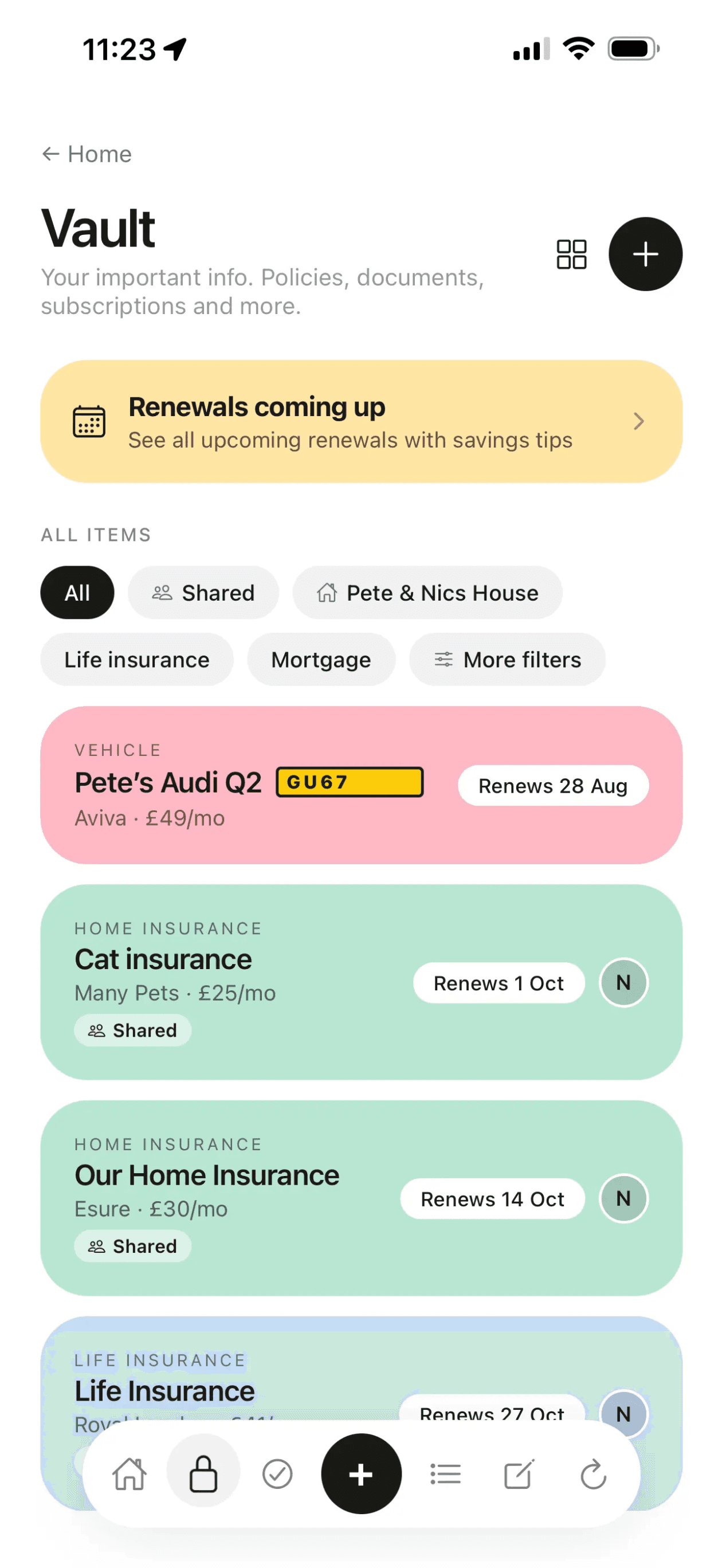
Every Roost vault item has category-specific fields: policy number, insurer, renewal date, cover level, excess, claims number. You don't have to decide what to record. Roost prompts you for the right information per category. Home insurance prompts you for buildings cover, contents cover, trace and access cover, excess and claims line. Vehicle prompts you for registration, MOT date, insurer, breakdown provider and recovery number.
This structure means two things: you never accidentally leave out the information you'll need later, and when you need it, everything is where you expect it. There is no searching through a long note trying to remember whether you filed the renewal date at the top or the bottom.
Renewal reminders built in
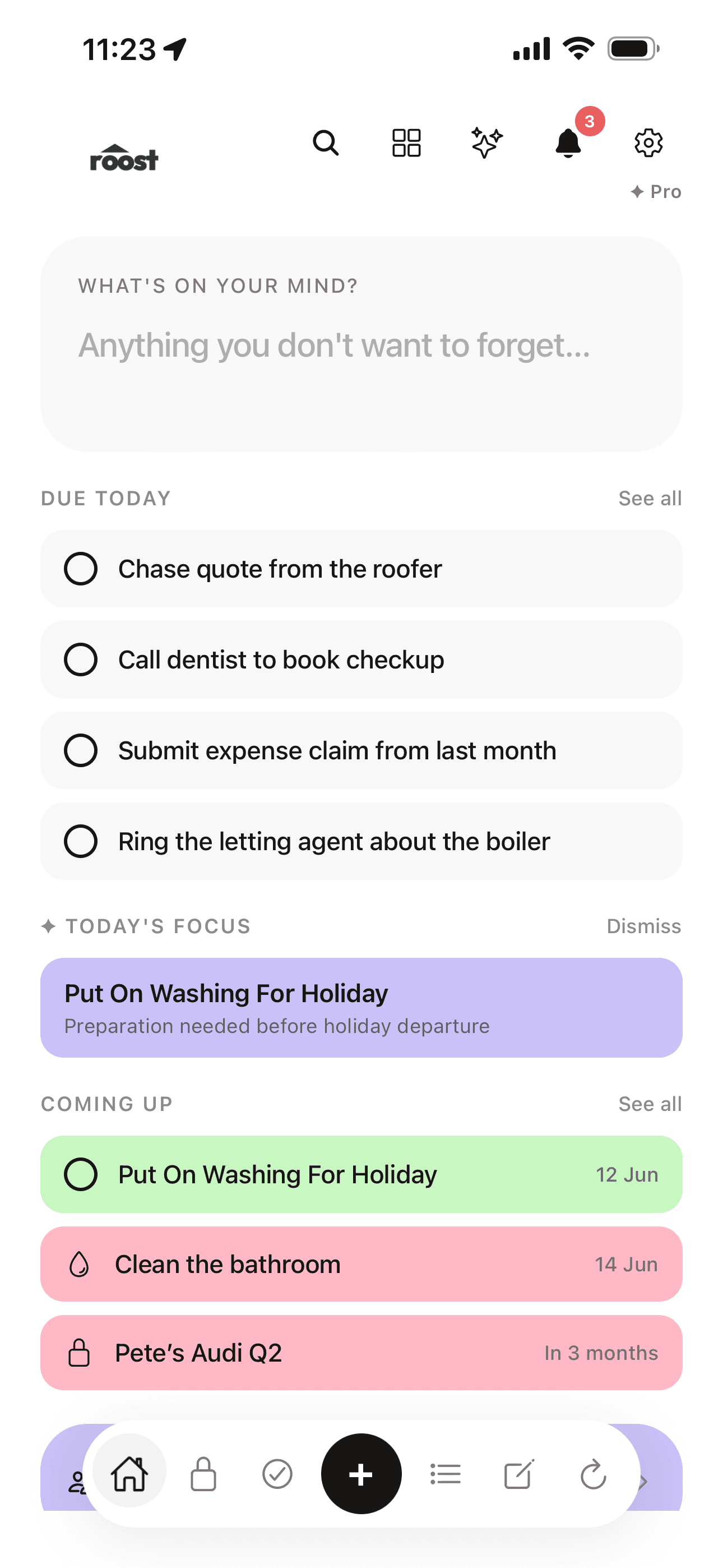
Every vault item in Roost can carry a renewal date. Upcoming renewals surface on your Roost home screen automatically, weeks before they fall due. Car insurance, home insurance, MOT, passport expiry, boiler cover and annual subscriptions are all tracked in one place, and all surfaced before they lapse.
Apple Notes has no reminder system. To track a renewal date in Notes, you write it in a note and hope you remember to check. Most people don't, which is why auto-renewal exists, and why auto-renewing customers consistently pay more than customers who shopped around before renewal.
Real-time household sharing
Roost is built around the concept of a household, not an individual. Invite your partner to your household and they see the same vault, the same upcoming renewals, the same shopping list, all in real time. Either person can update a shared list and the other sees it immediately. Either person can act when a renewal comes up.
Apple Notes sharing works at the note level via iCloud. You can share a note with your partner, but it is not built for household-level admin. There is no concept of a shared vault where all your household's important information lives together. The shopping list is a note that both people can edit, but it is not a live list that ticks off items and shows who added what.
Emergency contacts built into every item
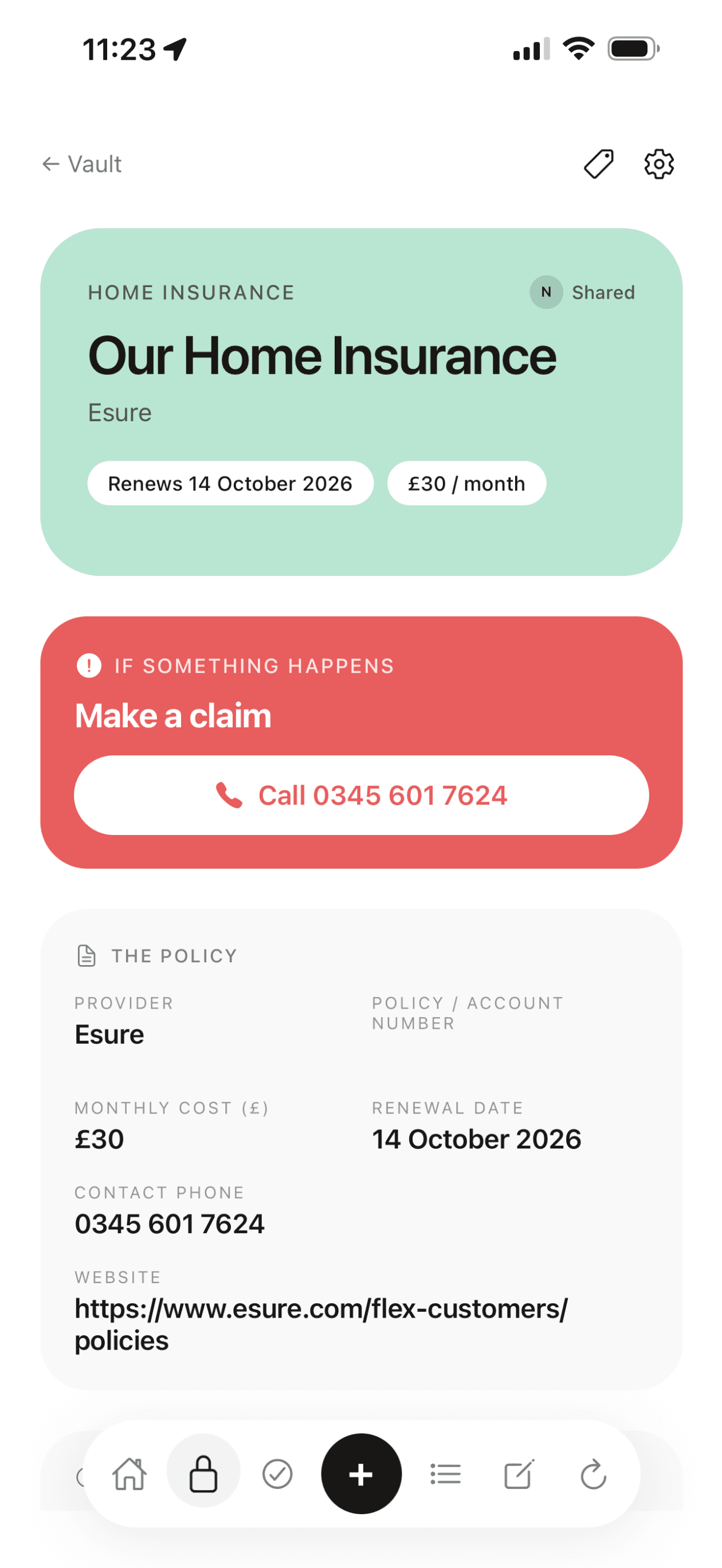
Every Roost vault item has a dedicated "If X happens" section: the emergency phone number, the policy reference, and the first steps to take. Tap your home insurance item and the insurer's claims line is right there with a one-tap call button. Your vehicle item has separate emergency tabs for "Broken down" and "Insurance claim". This is the information most households have somewhere but can never find quickly enough.
In Apple Notes, emergency information is whatever you type in a note. Most people don't write it down systematically, and even those who do struggle to find it quickly under pressure.
How to choose
Use Apple Notes if you want something free and already on your phone, your household admin needs are minimal, and you are comfortable building and maintaining your own note structure. It is also the better choice if either person in your household uses Android. Roost has no native Android app, though the web app at app.getroost.io works on any browser.
Use Roost if you want renewal reminders before things lapse, structured storage per category so you don't have to remember what to record, real-time household sharing where both people see and update the same information, and a dedicated emergency section on every vault item. The free plan covers most households comfortably.
Use both if you want the quick-capture speed of Apple Notes for everyday jottings alongside Roost for the structured important stuff. Many Roost users still have Notes on their phone; they just don't store insurance details, renewal dates or emergency contacts in it any more.
Switching gradually is the easiest approach if you already have a lot in Apple Notes. Open each relevant note and copy the details into the appropriate Roost vault item. Most households find this takes 20-30 minutes and the structure Roost provides makes the effort worthwhile almost immediately: the first time a renewal reminder fires, you will understand why.
Common questions
What is the best Apple Notes alternative for household admin?
Roost is the best Apple Notes alternative for household admin. Unlike Apple Notes, Roost has structured fields per category (home insurance, vehicle, utilities, subscriptions), built-in renewal reminders, real-time household sharing, and a dedicated emergency contact section on every vault item. The free plan covers most households comfortably.
Can you use Apple Notes for household admin?
Yes, and many people do. Apple Notes is free, already on your iPhone, and works well for simple note-taking. The limitation for household admin is that it has no structured fields, no renewal reminders, no emergency contact organisation, and limited real-time sharing. If you only need a place to write down a policy number, Notes works. If you want reminders before renewals, shared access that syncs instantly, and structured storage per category, a dedicated app like Roost is better suited.
Is Roost free to use?
Roost has a free plan that allows up to 10 items per section, and it includes household sharing, shared lists with cover art, and the If X happens emergency section. The Pro plan at £5.99/month removes the item limit entirely. Apple Notes is completely free.
Which is better for a couple managing a shared household?
For shared household management, Roost has a meaningful advantage. It has proper real-time sharing built around households: shared vault items, shared lists, shared routines. Apple Notes can be shared via iCloud but the collaboration model is note-level rather than household-level, and there is no live sync of individual items within a list.
Does Roost work on Android?
No. Roost is iOS and web only as of 2026. If you or your partner use Android, the web app at app.getroost.io works on any browser, but there is no native Android app. Apple Notes is iOS, Mac and iPad only, and no Android either.
Can I import my Apple Notes into Roost?
There is no direct import from Apple Notes to Roost. The simplest approach is to open each relevant note and copy the details into the appropriate Roost vault item. It takes an evening at most, and the structure Roost provides makes the effort worthwhile.
Is Roost a good alternative to Apple Notes for storing insurance details?
Yes. Roost is specifically designed for storing insurance details. Each vault item has structured fields for policy number, insurer name, renewal date, cover level and excess, plus an emergency section with the claims number and what to do first. Apple Notes can store the same information as free text, but there are no renewal reminders and no structure to ensure you store the right details.
Related reading
Best life admin apps for the UK (2026)
How Roost, Notion, Apple Notes, Google Keep and spreadsheets compare for UK household admin.
Roost Vault: structured household storage
Policy numbers, renewal dates, emergency contacts and cover details: structured per category and shared with your household.
Renewal reminders: what Roost tracks
MOT, car insurance, home insurance, passport expiry and more, surfaced before they lapse.
Household organiser: 7 essential things to track
The seven categories most UK households have no reliable place to store, including all your renewal dates.
Try Roost free
Free plan, no card required. iOS app and web app. Vault, shared lists, routines and household sharing included.
Get started