
Roost features
Roost features: one calm place for home admin.
Five sections: Vault, Tasks, Lists, Notes and Routines. The Vault tracks every renewal and carries an “If X happens” plan on every item. Ten items in each of the five sections, free forever, no card, on iPhone and web.
Free to start. No card needed.
Vault
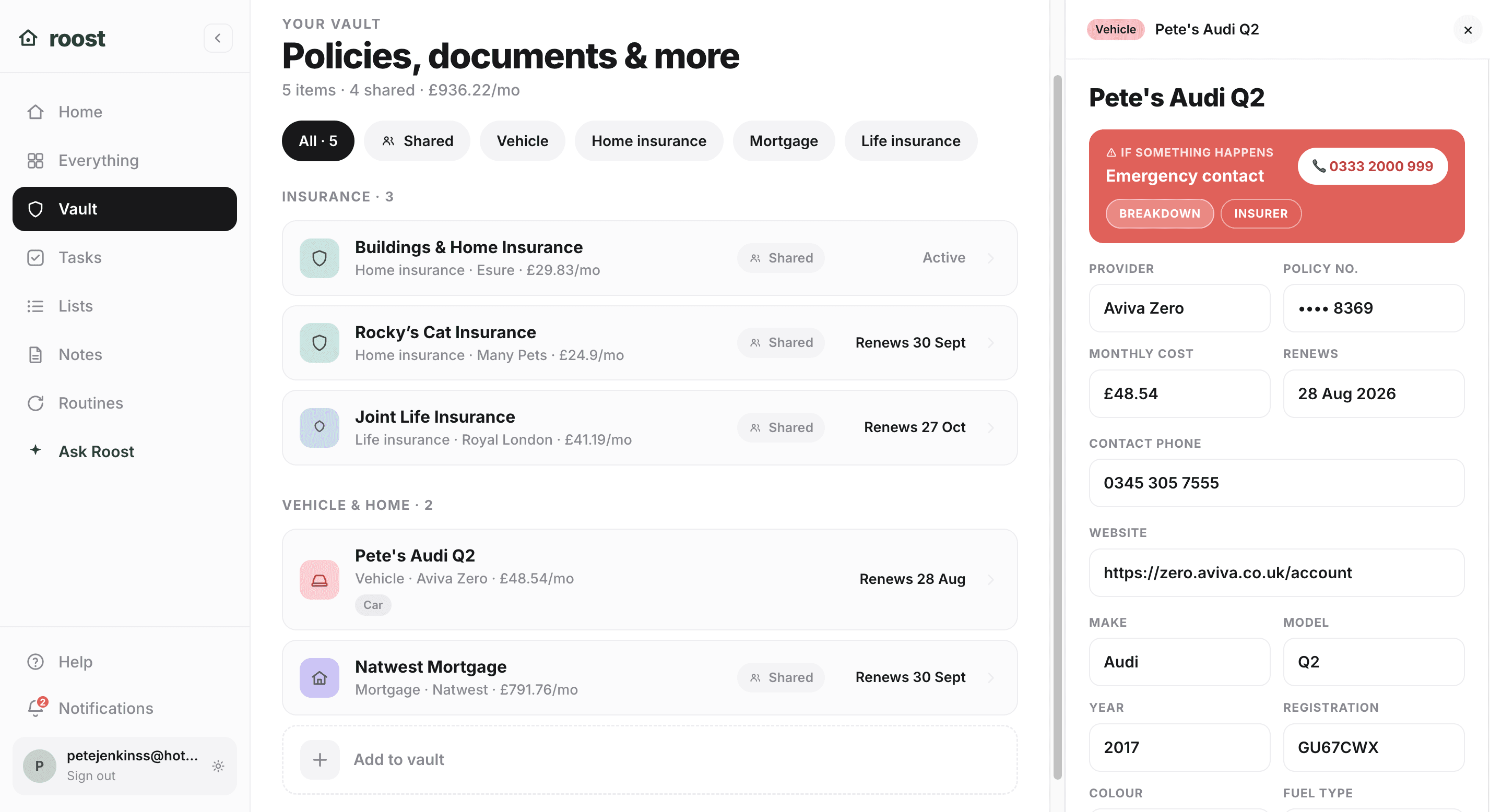
Stop hunting for that policy number.
Everything you would otherwise hunt for in an email archive, held by category with its cost, its renewal date, and its emergency plan attached. 111 templates across 14 categories, from the boiler to the mortgage to the Railcard. Attachments of up to 10 MB sit on the item itself on every plan, and you can tap to ring the insurer or the breakdown provider without leaving it.
If something happens
Know who to call at 11pm.
Boiler packed in on a Sunday night? Roost has the policy number, the emergency line and the first thing to do, all on one screen.
Policy number
BG-234891-C
What to do first
Switch off at the isolator. Check pressure reads 1-1.5 bar.
Tasks
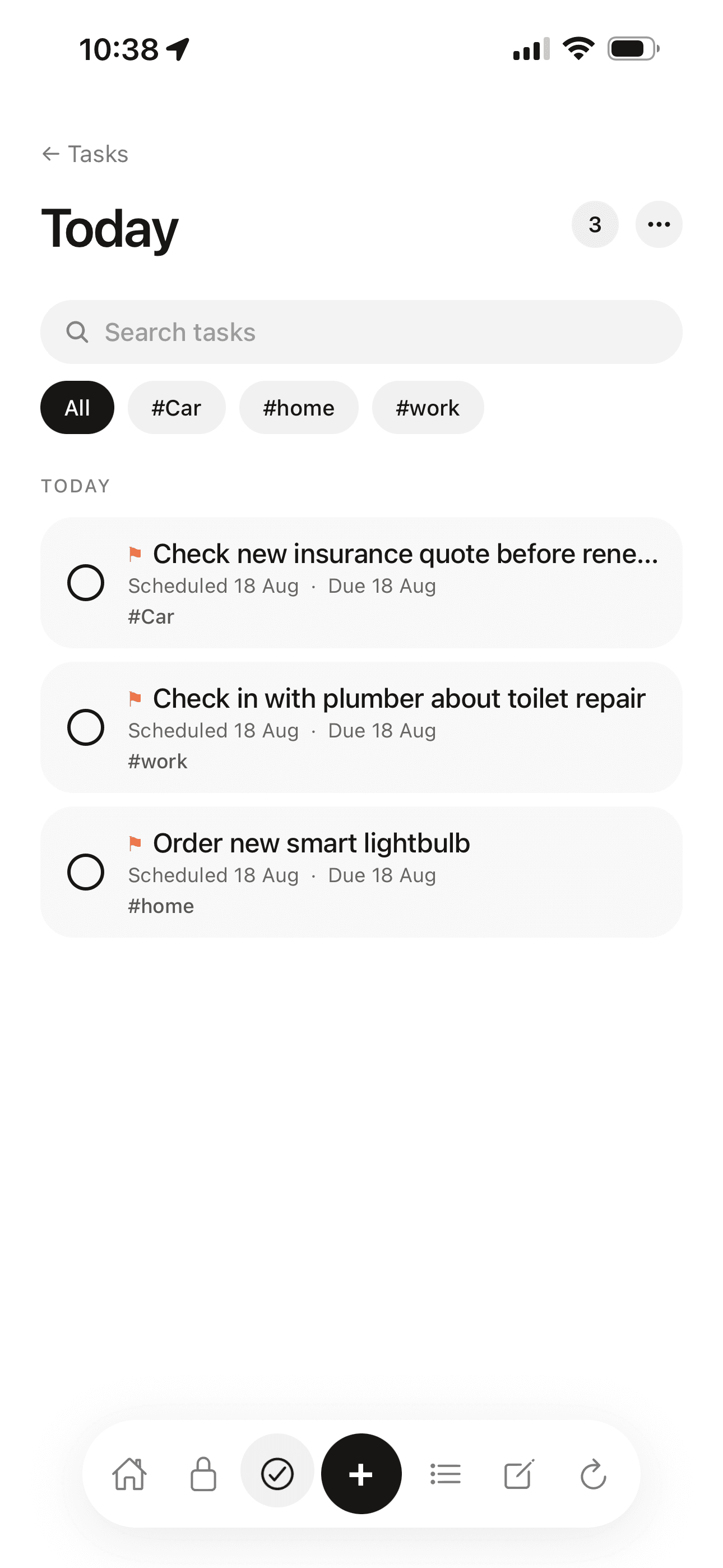
The to-dos that actually get done.
A proper task manager, not a checklist bolted on. Scheduled dates and deadlines as separate things, repeat rules that understand bin day, and 66 templates. Nudge a shared task and the other person gets a push, which is usually all it takes.
Lists
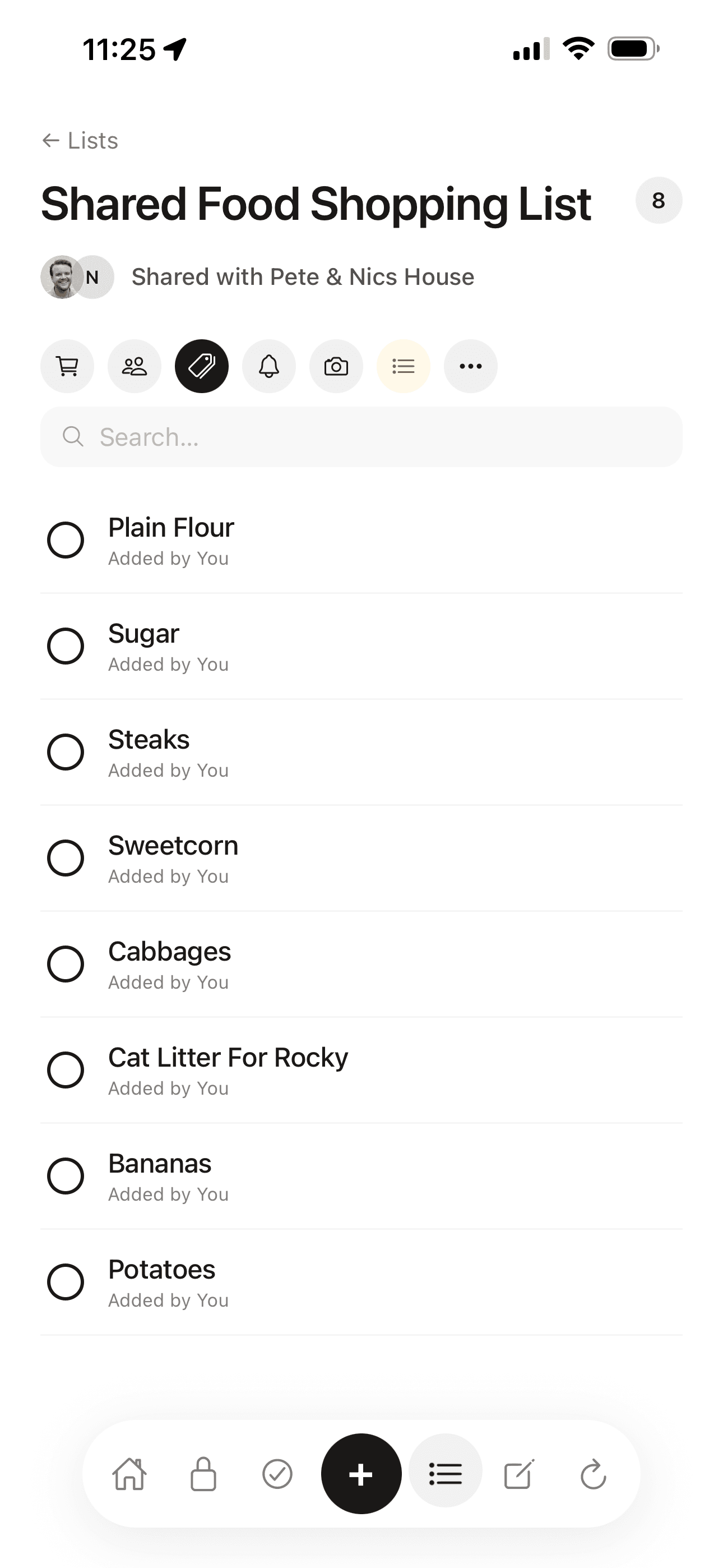
One list, both phones.
Shopping that stays in sync on both phones, and wishlists with real cover art fetched automatically. 36 list types, 23 of them fillable by pointing your camera at the thing. Ticked shopping items tidy themselves away after 24 hours, so the list never turns into a graveyard.
Notes
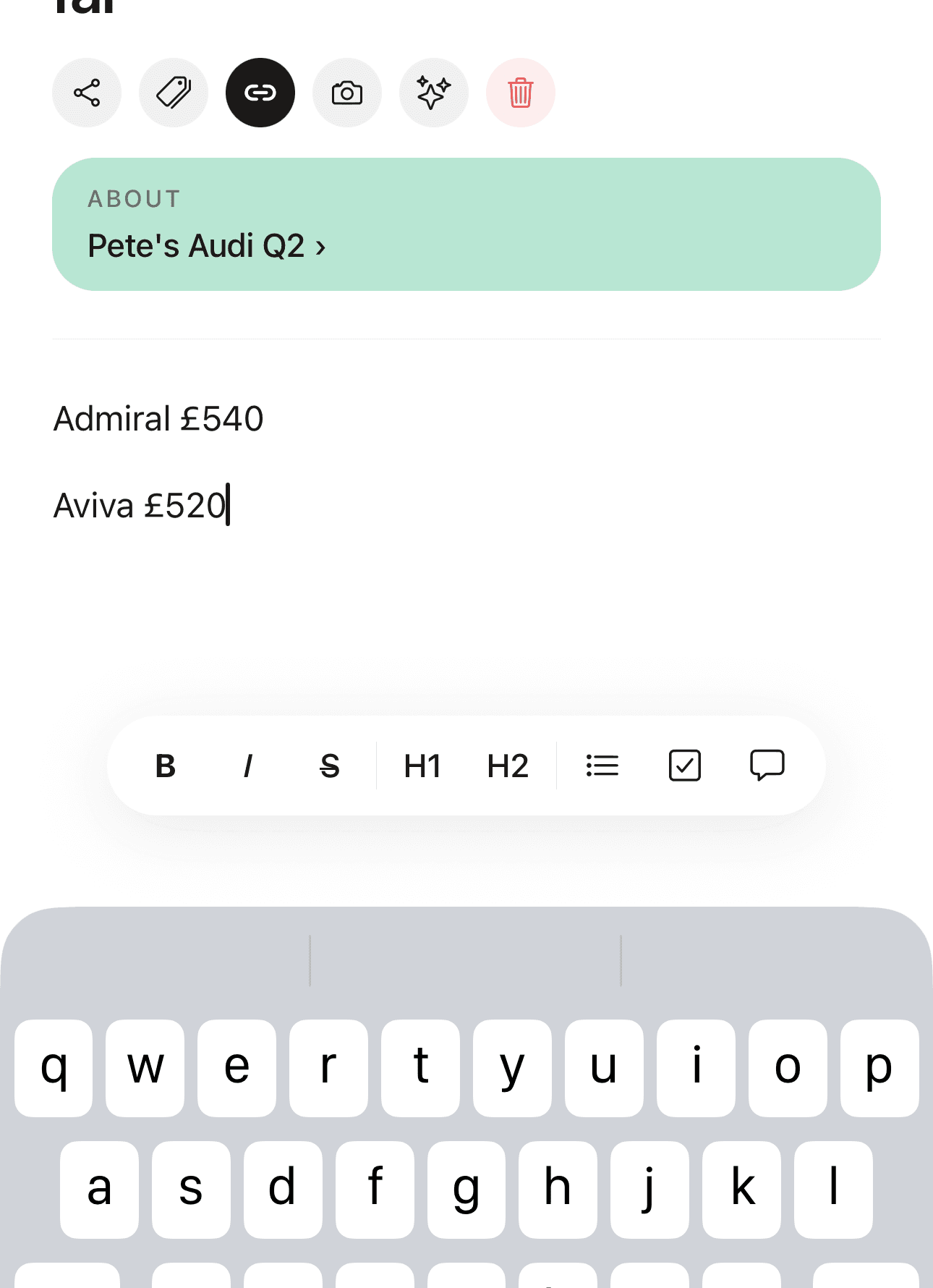
Notes that know what they are about.
A calm markdown editor with the one thing no notes app does: a note can live on the vault item it is about. The boiler engineer's advice lives on the boiler. There are 39 note templates, and if you want it, Roost can summarise a long note or pull the actions out of it for you to confirm.
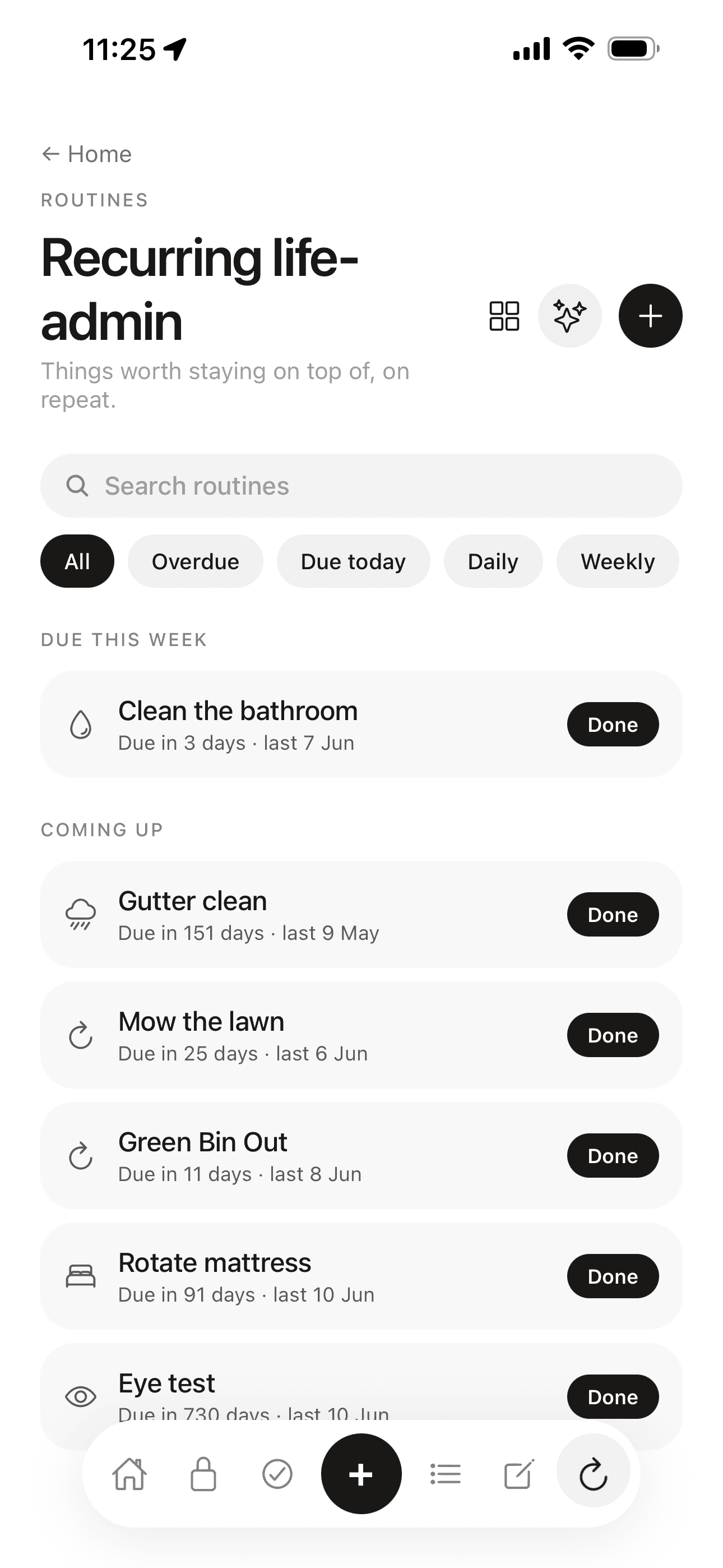
Routines
The jobs you forget, remembered for you.
The recurring upkeep of a home, tracked by how long since you last did it. Boiler service, MOT, smoke alarm test, worm the cat. 63 templates across eight cadences, from weekly to every two years, and you can log a past date, skip the next one, or mark it done straight from the row.
How it fits together
Five sections. One app. Actually connected.
A project gathers everything about one thing: “Moving house” holds its tasks, its lists, its notes, its vault items and its routines in one place. Nests group projects. One tag set runs across everything, and one search looks through all of it at once. This is what makes Roost one app rather than five apps in a trench coat.
Worth a look
The rest of what Roost does.
315 templates
111 vault, 66 task, 63 routine, 39 note and 36 list templates, each arriving with the right fields already in place.
Ask Roost
One of twelve optional features that read your own data and end in something you confirm. Nothing happens behind your back.
Renewal reminders
A push at 30, 14, 7 and 1 days before anything is due, and a renewals screen with a running monthly total.
If X happens
The emergency plan that sits on the vault item: who to call, the policy number, and the first thing to do.
Pricing, plainly
Fifty items free. No clock, no card.
50 items free
ten in each of the five sections
No time limit
free stays free, forever
No card
nothing to enter to begin
£5.99/mo
Pro, only if you outgrow it
Household sharing, inviting and viewing are free on every plan. Pro is £5.99 a month or £49.99 a year, per account, and it removes the item limits. See full pricing
Roost features: common questions
What are the main Roost features?
Roost has five sections: Vault, Tasks, Lists, Notes and Routines. The Vault also tracks renewal dates and carries an “If X happens” emergency plan on every item, so the details and the plan sit in the same place. There are 315 templates across the five sections, so nothing starts on a blank page.
Is Roost free to use?
Yes. The free plan gives you ten items in each of the five sections, free forever and with no card. Pro is £5.99 a month or £49.99 a year per account and removes the item limits.
Which sections can I share with my household?
All five. Invite a partner or a housemate and you both see the same vault items, tasks, lists, notes and routines, with equal edit rights and no owner or read-only tier. Inviting, viewing and sharing are free on every plan.
Does Roost work on iPhone and web?
Yes. The iPhone app and the web app at app.getroost.io use the same account and sync in real time, so a shared change shows up on the other device in about a second. On Android, Roost works in any browser.
What is the vault in Roost?
The vault is where your household records live: insurance, vehicles, utilities, subscriptions, appliances, documents and the people you need to ring. Each item holds its cost, its renewal date, its attachments and its “If X happens” plan. There are 111 vault templates across 14 categories.
Can I set renewal reminders in Roost?
Yes. Any vault item can carry a renewal date, and Roost pushes a reminder at 30, 14, 7 and 1 days before it is due. The renewals screen also shows a running monthly total, so you can see what all of it costs.
Is my information private?
Personal items are end-to-end encrypted: encrypted on your device, and Roost cannot read them. Shared items are encrypted at rest with row-level security, because the people you share with need to read them. Data is stored in the EU, and you can permanently delete everything from settings.
For independent app reviews, see Which?.
Rule the roost.
Home admin sorted. Everything your household needs, in one place.