
Best life admin app UK (2026)
Life admin is the background work of running a household: insurance renewals, policy numbers, vehicle records, subscription billing dates, home maintenance reminders and emergency contact information. This roundup looks at the five most common options in the UK in 2026 and what each one actually does well.
What to look for in a life admin app
The most important question is whether the app has structured fields or just a blank page. A blank note works for recording a policy number, but it does not prompt you to also record the renewal date, the excess, the emergency claims line and the account reference. A purpose-built tool prompts all of this. The difference shows up when something goes wrong and you need the information quickly.
Renewal reminders are the second key factor. Knowing that your car insurance renews in October is useful. Being reminded two weeks before it renews is useful in a different way: it gives you time to shop around rather than auto-renewing at a worse price. Most general-purpose notes apps will not tell you when something is coming up. A dedicated tool can.
If you share a home with someone else, real-time sharing matters. Apps that share at the document or note level are better than nothing, but a shared household workspace, where both people see the same information without needing to send anything, is meaningfully more useful for day-to-day admin.
At a glance
| App | Cost | Structure | Renewals | Sharing |
|---|---|---|---|---|
| Roost | Free / £5.99/mo | Purpose-built per-category fields | Built in | Real-time household sharing |
| Apple Notes | Free | Freeform notes | None | Shared individual notes |
| Notion | Free / £8/mo+ | Flexible databases (requires setup) | Manual (date properties) | Real-time collaboration |
| Google Keep | Free | Notes and checklists | None | Shared individual notes |
| Spreadsheet | Free / Microsoft 365 | Completely flexible | Manual | Shared file (Google Drive / OneDrive) |
Roost
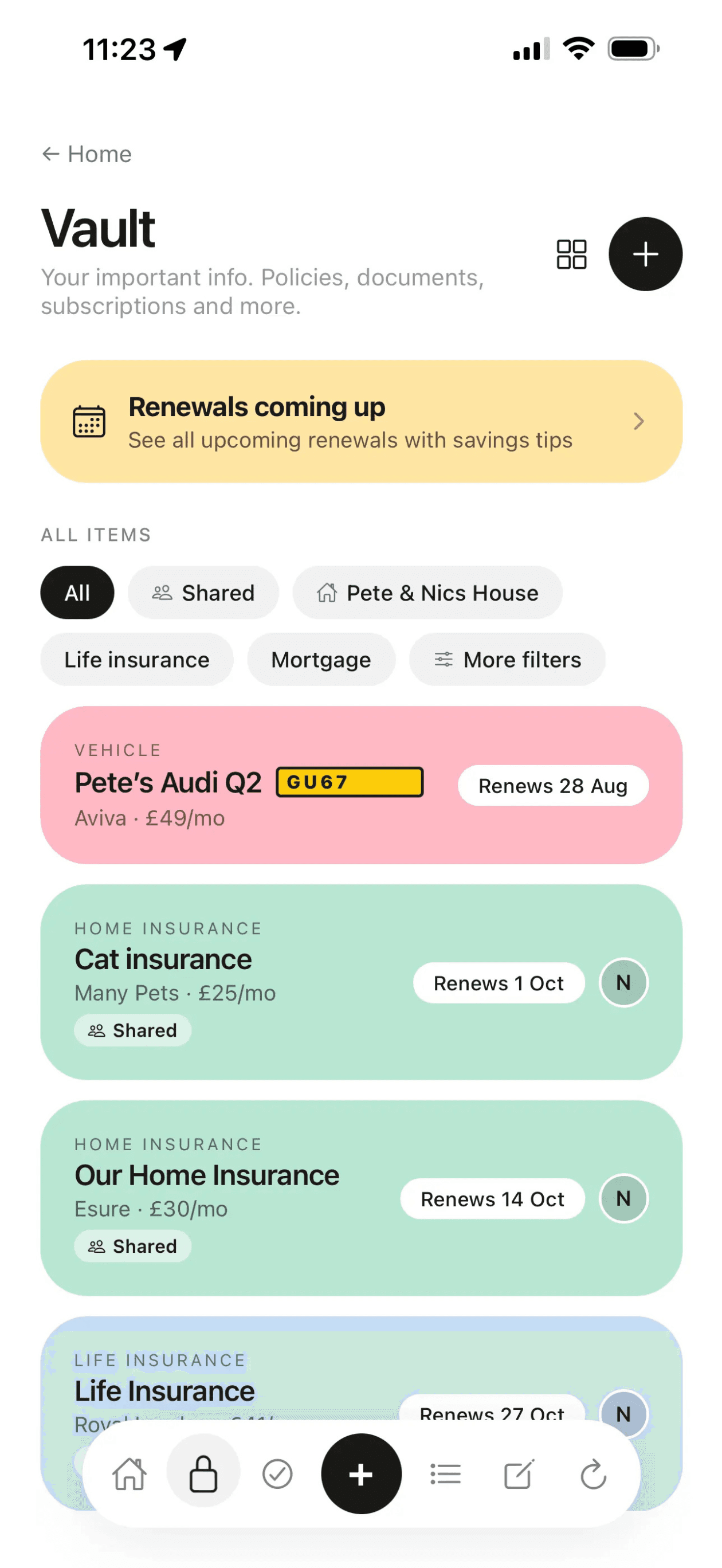
Best purpose-built optionRoost is a household admin app built specifically for UK homes. The vault stores insurance policies, vehicle details, subscriptions, utilities and appliances. Each has its own structured fields, so you are prompted to record the right information rather than guessing what to note down.
Every vault item has a renewal date field and an 'If X Happens' section. Add a renewal date and Roost surfaces it on the home screen as the date approaches. Add emergency instructions to the 'If X Happens' section and they are one tap away when something goes wrong at 11pm. This is the main difference from general-purpose tools: the structure is already there.
Household sharing is real-time and built into the free plan. Both people see the same vault, the same renewal dates, and the same shared lists. The lists cover shopping, films, books, restaurants, TV shows and more alongside the core admin features. Roost is iOS and web as of 2026: no native Android app, though the web app works in a mobile browser.
What it does well
- Pre-built structure for every category of household admin
- Renewal reminders surface on the home screen automatically
- Emergency info on every vault item
- Real-time household sharing included in free plan
- Shared lists (shopping, films, books) alongside the admin features
Limitations
- No native Android app (web works, not native)
- Not a general task manager or calendar tool
Apple Notes
Best free option for iPhone usersApple Notes is the default note-taking app on every iPhone. Most people already use it and it handles basic information storage well. For a quick list of insurance policy numbers or a note with the boiler engineer's number, it works without any setup.
The limitation for household admin is structure. Apple Notes is freeform: you decide what to write and how to organise it. Nothing prompts you to record the renewal date, the claims line, or the excess. Over time most Notes-based household admin ends up as a mix of useful information and outdated notes with no clear way to find things quickly.
Sharing works at the individual note level. You can share a note with another person, but there is no concept of a shared household workspace. If one person records the home insurance details and the other needs them, the right note has to be found and shared manually. For occasional reference this is fine; for regular shared access it becomes friction.
What it does well
- Free and already on every iPhone
- No setup required
- Good full-text search
- Works across all Apple devices
Limitations
- No structure or prompted fields for admin categories
- No renewal reminders
- No shared household workspace
- Apple devices only
Notion
Best for people who enjoy building systems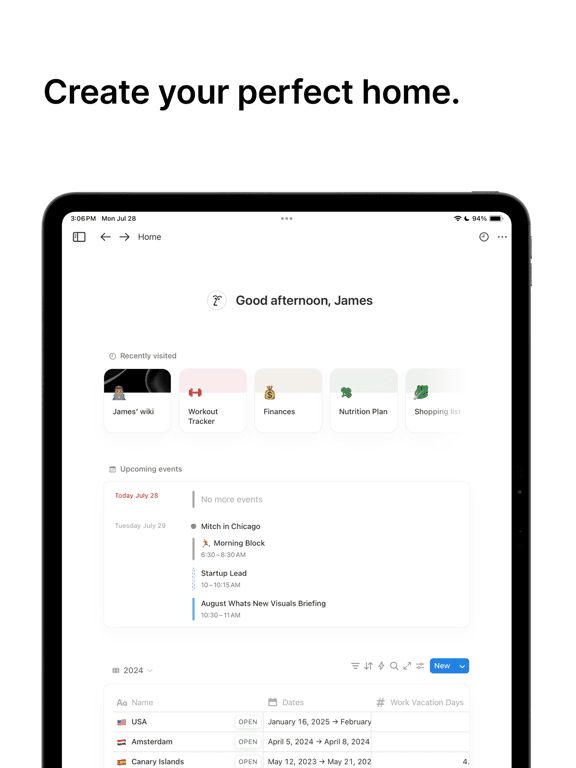
Notion is a flexible workspace tool that can be configured for almost any purpose. Many people use it for household admin by building databases with custom fields, linked views and filtered tables. Done well, a Notion household admin setup can be genuinely powerful.
The trade-off is setup time. To get renewal reminders, you need a database with a date field, a filtered view, and some way to surface upcoming items. Nothing is pre-built. This suits people who find building the system enjoyable and will maintain it over time. For people who want to get started quickly and not think about the tool itself, it is the wrong choice.
Real-time sharing is excellent. You can share a Notion workspace with a partner and both people can edit the same databases simultaneously. Cross-platform support is good: iOS, Android and web all work well. The free plan is generous for personal use. Paid plans start at £8 per month per user.
What it does well
- Highly flexible: can be configured exactly as you need
- Excellent real-time collaboration
- Works on iOS, Android and web
- Free plan is generous
Limitations
- Significant setup required before it is useful
- No built-in renewal reminders or structured admin fields
- Requires ongoing maintenance to stay organised
- Can be complex for non-technical users
Google Keep
Best free cross-platform option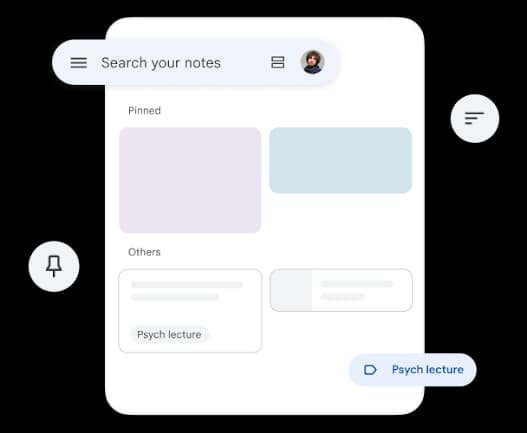
Google Keep is a notes and checklists app that works on every platform. It handles basic information capture well: add a label, write the note, set a reminder if you want one. For someone who wants to record a policy number and not think further about it, Keep works.
As a household admin tool it is limited. There are no structured fields, no renewal tracking, and no concept of different admin categories. Your home insurance details look the same as your shopping list. If you have more than a handful of things to track, finding the right note becomes the challenge.
Sharing is at the note level, not at a workspace level. You can share individual notes with another person, but there is no shared view of everything. For occasional reference this is adequate. For a shared household where both people actively manage the same information, it falls short of what purpose-built tools offer.
What it does well
- Free
- Works on iOS, Android and web
- Simple to use with no setup
- Location-based and time-based reminders
Limitations
- No structure for admin categories
- No renewal date tracking
- Note-level sharing only: no shared household workspace
- Gets messy quickly if tracking many things
Spreadsheet
Best for people who want full controlA shared spreadsheet in Google Sheets or Excel is a common household admin tool. It is completely flexible: you can build any structure you want, track any field, and share it with anyone via a link. For people comfortable with spreadsheets, this is a genuinely effective option.
The limitations are mobile experience and proactive reminders. Spreadsheets are designed for desktop use. On a phone, editing a shared spreadsheet is slow and error-prone. There is no way for the spreadsheet to surface a renewal date without a separate calendar reminder. The information is there but the spreadsheet will not tell you when something needs your attention.
Ongoing maintenance is also a factor. A well-structured spreadsheet for household admin takes effort to set up and discipline to maintain. It tends to drift over time: columns get added, rows go stale, the structure changes as life changes. For households that enjoy this kind of organisation, it works. For everyone else, the setup cost rarely delivers its return.
What it does well
- Completely flexible
- Shareable via Google Drive or OneDrive
- Works on all platforms
- Free with Google or Microsoft accounts
Limitations
- No mobile-first experience
- No built-in renewal reminders or alerts
- Requires setup and ongoing maintenance
- No emergency contact structure
How to choose a life admin app
If you want something ready to use with no setup: Roost is the most direct answer. The structure is already there: vault categories, renewal date fields, emergency info sections. You fill in the information and the app does the rest. There is a free plan and it works across iOS and web.
If you already use Apple Notes and have a simple household: Stick with it for now. Apple Notes is good enough for basic storage, especially if you live alone and the number of policies and renewal dates is small. A dedicated app becomes more valuable as the number of things to track grows.
If you want maximum flexibility and enjoy building systems: Notion is the strongest choice. You can build exactly the structure you want, share it with a partner, and access it from any device. The trade-off is setup time and ongoing maintenance.
If you want everything in a spreadsheet: Google Sheets or Excel work well on desktop. The gap shows on mobile and in the absence of reminders; the information is there but the tool will not proactively tell you when something needs your attention.
Common questions
What is a life admin app?
A life admin app helps you manage the background tasks of running a household: tracking insurance renewals, storing policy details, managing shared lists, setting recurring maintenance reminders, and keeping emergency contact information accessible. Different apps approach this with different levels of structure.
Is there a free life admin app for UK households?
Several. Roost is free for up to 10 items per section and includes household sharing and all core features. Apple Notes and Google Keep are completely free. Notion has a generous free plan. The free options are genuinely usable, and the paid tiers mainly remove limits or add advanced features.
What is the best app for tracking insurance renewals in the UK?
Roost is built specifically for this. You add each insurance policy to the vault with its renewal date, and Roost surfaces it on your home screen as the date approaches. It stores the policy number and insurer contact alongside the renewal date so everything is in one place. The alternative is calendar reminders, which work but don't keep the policy details with the reminder.
Can I share a life admin app with my partner?
Yes, with some apps. Roost is built specifically for household sharing; both people see the same vault, lists and renewals in real time. Notion supports real-time collaboration. Apple Notes can share individual notes but not a full household workspace. Google Keep shares individual notes. Spreadsheets shared via Google Drive work for both people.
How is Roost different from Notion for household admin?
Roost comes pre-structured for household admin. The vault has dedicated fields for each type of insurance, vehicle details, subscriptions and utilities. Renewal reminders and emergency info sections are built in. Notion is more flexible but requires you to build and maintain your own structure. Roost is ready to use on day one; Notion needs setup before it's useful.
Do I really need a dedicated life admin app?
Not everyone does. If your household admin is simple (one or two policies, no shared household, no recurring maintenance to track), notes or a spreadsheet may be enough. A dedicated app becomes valuable when you have multiple policies and renewal dates to track, a shared household where both people need access, and recurring maintenance or emergency info that needs to be findable quickly.
What should a life admin app track?
The most valuable things to track: home and car insurance (policy number, renewal date, emergency claims line), vehicle details (MOT date, road tax, breakdown cover), subscriptions (billing dates, cancellation URLs), utilities (account numbers, direct debit amounts), appliances (warranty expiry, model numbers, engineer contacts), and emergency contacts (landlord, doctor, solicitor). A household accumulates a lot of these, and usually has no reliable single place to find them.
Related reading
Roost Vault: the home document organiser
How the Roost vault organises insurance, vehicles, subscriptions and more, with renewal tracking and emergency info built in.
Roost for home admin
The full picture of what Roost does for household admin: vault, renewal reminders, shared lists and maintenance routines.
Home filing system: 7 steps to get organised
A practical guide to setting up a home filing system for insurance policies, warranties, passports and household documents.
Household organiser: 7 things worth tracking
The seven categories of household information most people have no reliable way to find, plus a better approach.
Try Roost free
Free plan includes vault, renewal reminders, shared lists and household sharing. No card required.
Get started free